
02
// BP Bytes
Manage High-Risk Work with Digital Permit to Work Software
BP Bytes Permit to Work Software helps organisations manage high-risk work from permit creation and compliance checks through to approvals, handovers and completion. Manage Hot Work, Confined Space, Working at Height, Electrical Work and other permits while verifying worker compliance and required safety controls.
// BP Bytes
Key Permit to Work Software Features
06
Reports & Compliance Visibility
Get a complete view of your permit activity through reports and dashboards. Monitor ongoing, completed, expired and closed permits and analyse information such as permit type, site, location, issuer, recipient and status to support compliance, audits and safety management.
// BP Bytes
Manage the Complete Permit to Work Process
Move away from paper forms and disconnected spreadsheets with a structured digital workflow for managing high-risk work.
BP Bytes helps teams manage each stage of the permit lifecycle, from identifying the work and checking worker requirements through to authorisation, active work, handover and completion. Everyone involved can access the information and actions relevant to their role, while management retains a complete record of permit activity.
Create & Configure
Create the appropriate permit and capture work details, location, hazards, controls and required documentation.
Check Compliance
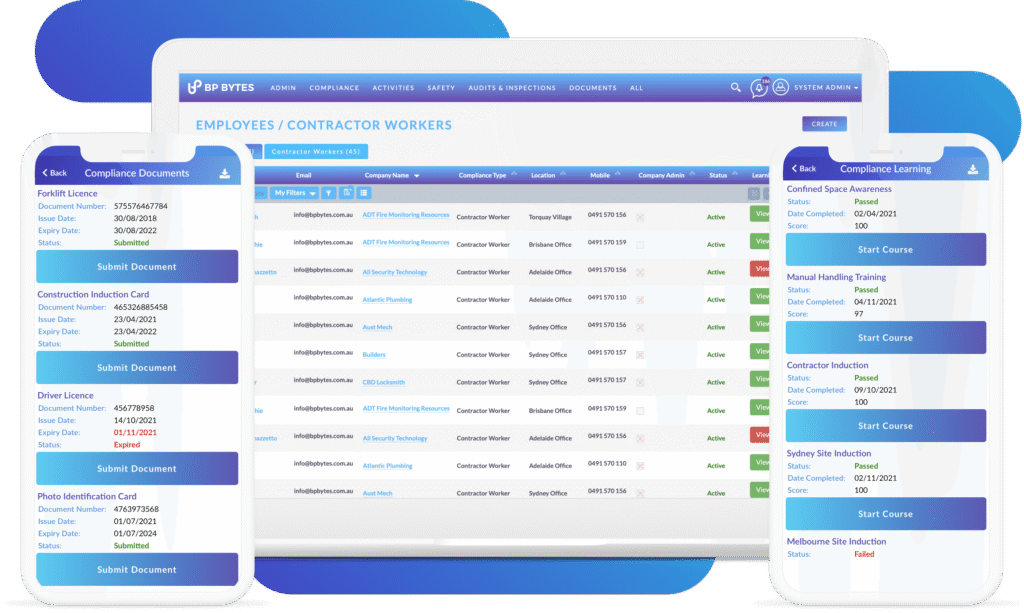
Verify that workers and contractors have the required licences, qualifications, inductions, competencies and documents.
Review & Approve
The Permit Issuer reviews the work requirements and controls before the permit is authorised. The Permit Recipient acknowledges and accepts the conditions of the permit.
Sign Off & Start Work
Complete the required digital approvals and sign-offs before work begins, with permit information available to the people performing and supervising the work.
Monitor & Handover
Monitor active permits and ongoing work, manage changes in responsibility and record permit handovers throughout the activity.
Complete & Report
Close completed permits and maintain a complete digital history for reporting, audits and future reference.
Create → Check Compliance → Review → Approve → Sign Off → Start Work → Monitor → Handover → Complete